Computer science

The Motherboard

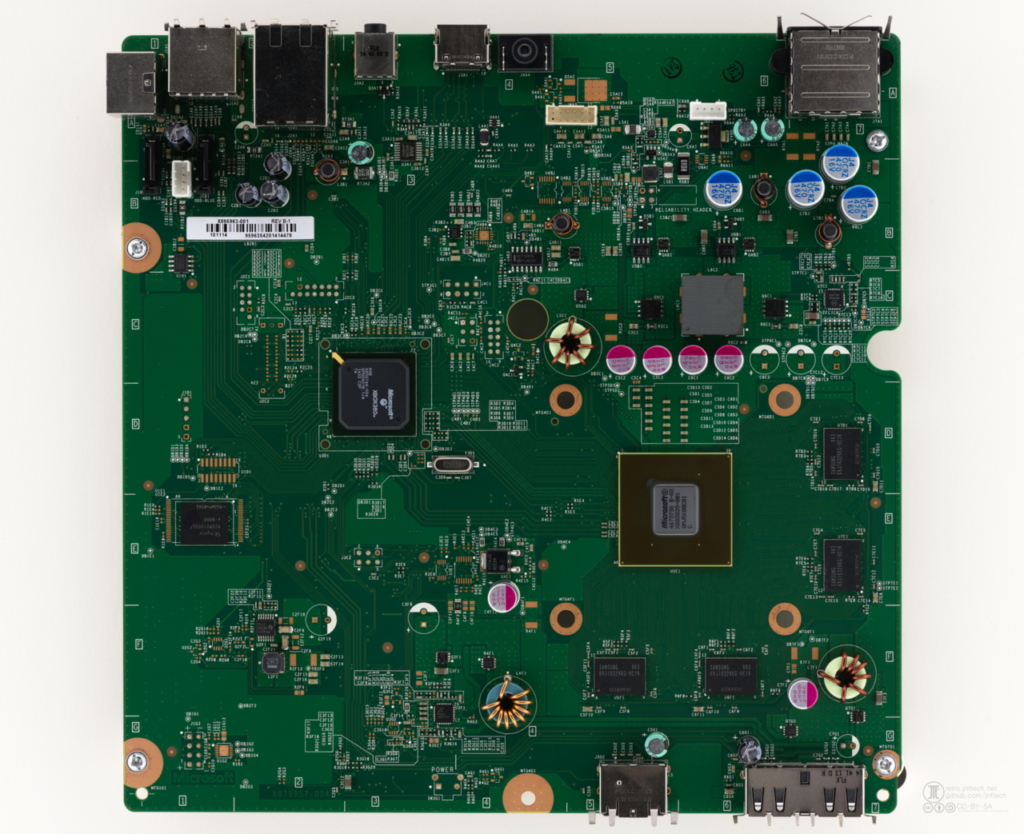
The motherboard is the the main printed circuit board in a computer having designated spots for the most important parts of the computer such as the CPU , RAM and allowing external connections to  peripherals like the mouse, keyboard and monitor. You can understand why it’s known as the motherboard because it holds the important parts of the computer like a mother holds her child. Lastly the motherboard is an electrical component and allows connections between the different parts of the computer.

Computer data storage – Hard drive

We have discussed the RAM in our last post and we have understood the concept the RAM is to be used temporarily hence the name random access memory. The question arises “What if we need to store something permanently?” This is where we use a hard drive to allow us to store data permanently.

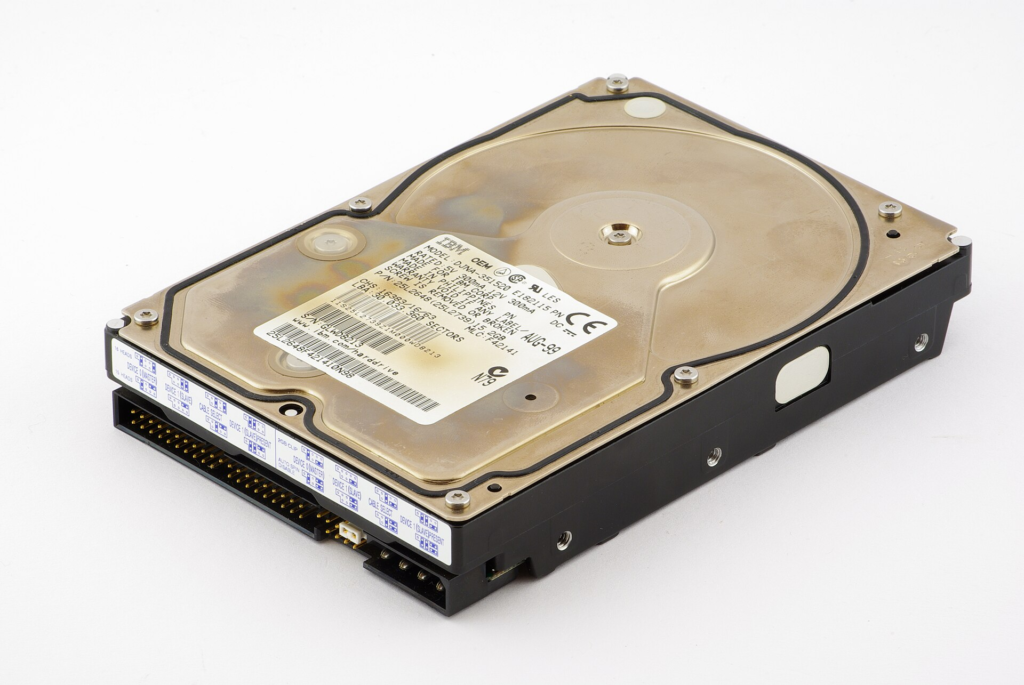
A Computer data storage is the retention of any digital data using technological devices. We use it everyday to store our files , folders and applications. In addition the code for your the operating system of your computer is also stored on your hard drive. A hard drive is essential for storing data and is the capacity comes in MB,GB and even TB. The unique thing about the hard drive is it works even when the computer is turned off unlike the RAM which is volatile and needs electricity to function.

There are two types of hard drives ,we have the traditional hard drive that uses electromechanical devices and fast spinning magnetic disks to read and write to data by moving the read and write head. Secondly we have the SSD which is more newer , faster and more advanced because it uses flash memory and has no moving parts. Moreover the computer storage can also be external where we use USB to connect it to the motherboard or it can internal inside the computer.

In conclusion a computer data storage allows us permanently store data such as files , folders and images. It works even without electricity and can be analyzed from other computers. Also it stores the operating system of your computer which can be Windows or Linux making it an essential part of the computer.

RAM – Random Access Memory

The next part of the computer we will be discussing is the Random Access Memory.

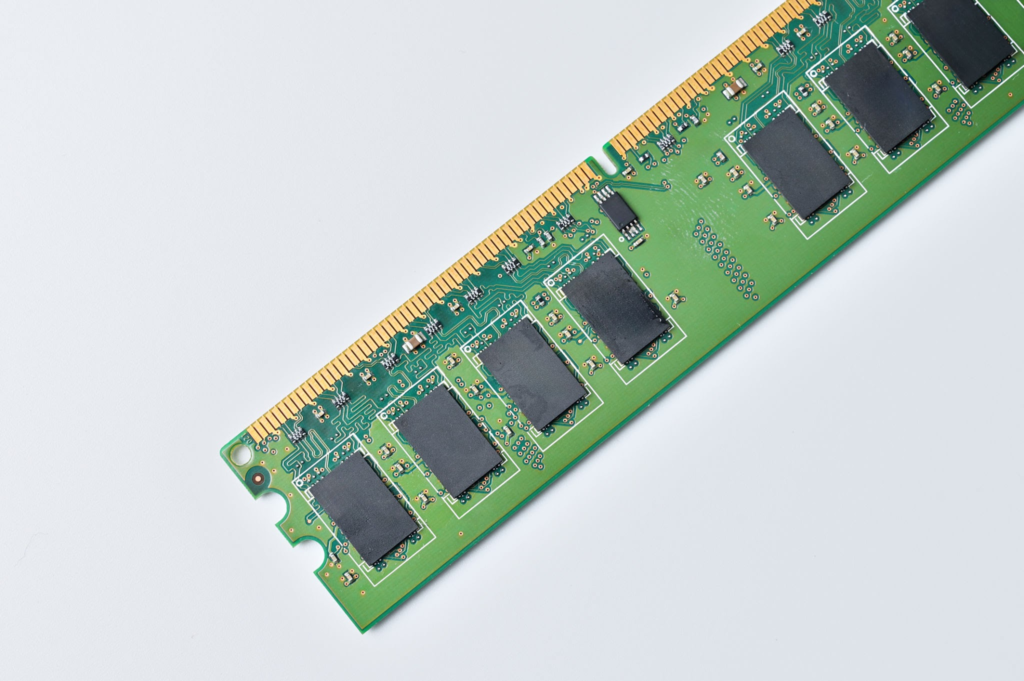
RAM stands for Random Access Memory and is the short term memory of the computer while the hard drive is the long term memory and storage for the computer. The problem is applications hold data and the CPU needs to access those files at high speeds, it would be way too slow for it to fetch from the hard drive which can be as large as 1TB. Therefore the RAM acts as an assistant to the CPU holding data from popular applications like Google Chrome or Microsoft Word so the CPU can access it at a suitable speed.

For example, if we need to compute:

2 + 2

The keyboard sends the input to the application.

The data is temporarily stored in RAM.

The CPU reads the data from RAM.

The CPU performs the addition (2 + 2 = 4).

The result (4) is sent to the display and shown on your screen.

RAM needs electricity to work, if we shut off the computer all of that data is lost instantly, unlike a hard drive where we will most likely have the data without electricity or the computer being on.

Most computers have a limited amount of RAM such as 4GB, 8GB, 16GB etc. Therefore if we overwork the computer we can run out of random access memory i.e. the space the CPU needs to grab instructions from causing our computer to not operate effectively. This means the computer has less free RAM available to store and quickly access the instructions and data it needs causing applications to become slow, unresponsive or even in extreme cases crash.

In conclusion the RAM is a fast temporary memory space that is utilized by the CPU to process data and complete the instructions that the data contains while the Hard drive is the main storage that is larger and is designed to hold data, files and applications.
Introduction to computer science

A computer is an electronic device that manipulates information and is often used to run programs , compute arithmetic operations. Computers only can read 1s and 0s via transistors rather than human readable text and use them to create amazing things. Computers use a mix of both hardware and software to make many of the amazing things we do today possible. We will discuss each part of the computer and it’s role in making computers work magically.

CPU – Central processing unit

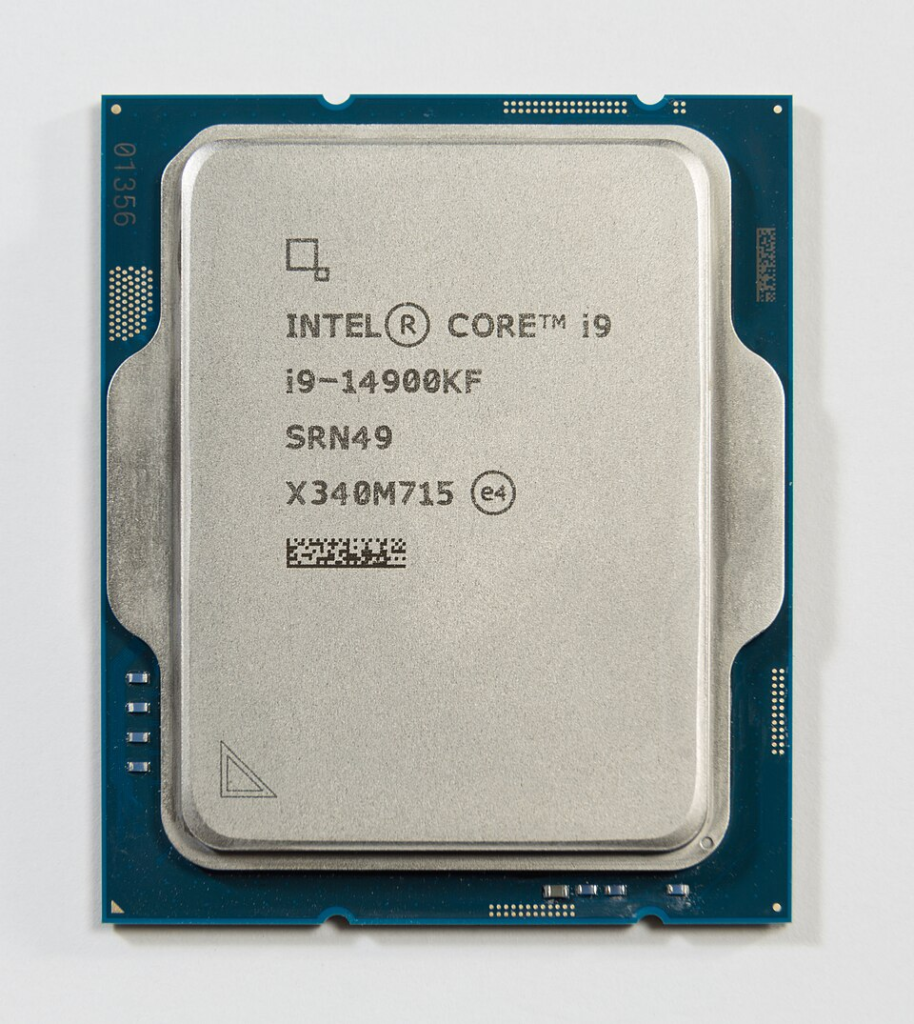
The CPU is known as the brain of the computer 🧠 , when ever we write cool programs like Python or C , they are translated to machine code that looks like this ‘10111000 00000101 00000000 00000000 00000000' because the CPU can only read 1s and 0s. Moreover the ALU ( Arithmetic Logic Unit) a small component built using logic sits within the CPU and handles the mathematical operations such as addition, subtraction, multiplication, and division, as well as logical operations, such as comparing values greater than, less than, or equal to allowing us to compute numbers at rapid speed. In conclusion the CPU is the powerhouse of the computer allowing it to execute instructions and compute mathematical and logical operations.